Setting Notifications
Conveniently keep track of all your purchase details with Notifications. You can manage:
- Order confirmations – you also can add additional recipients to this notification
- Backorder updates
- Shipment notifications
- Invoice copy notifications
- Delivery notifications
- Product ratings
For your conveniences, you can manage your notification preferences from any of these three convenient pages all accessible through your My Account menu: Account Dashboard, Profile Preferences, and Order Status.
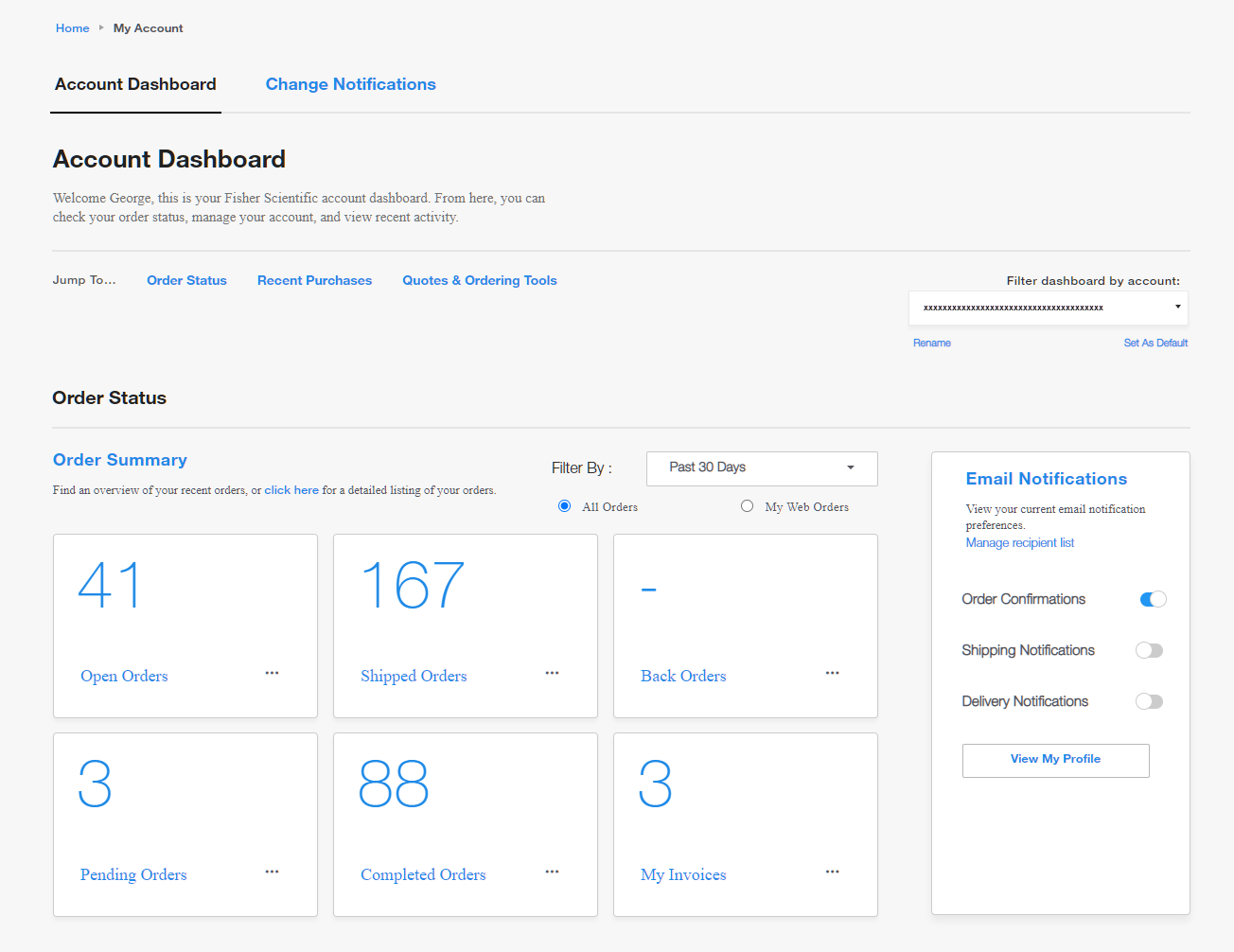
Manage email notifications via your Account Dashboard
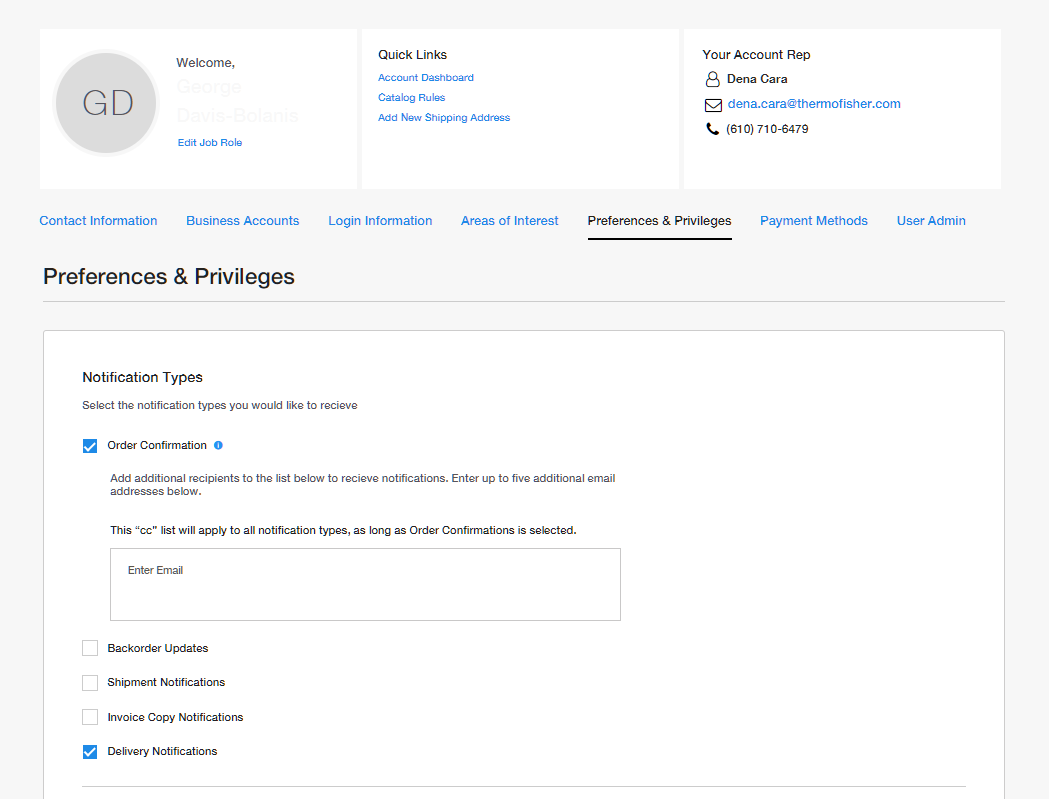
Manage email notifications via your Account Profile
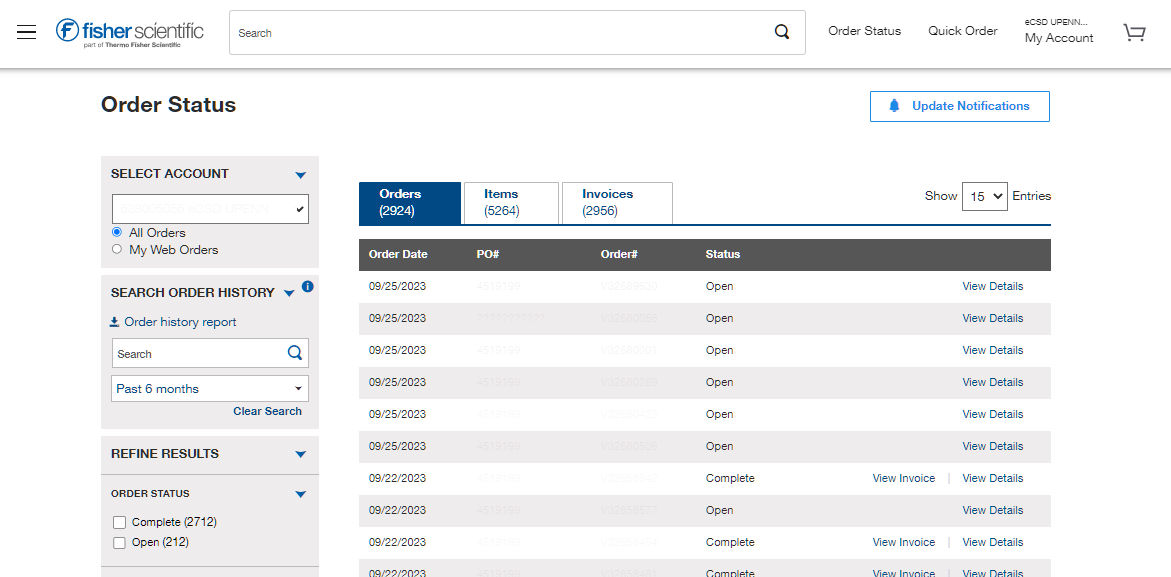
Manage email notifications via Order Status
More Related Help Topics
Getting Started
Managing Your Business Account
Account Security
Managing Purchasing for Your Organization
Still can’t find an answer?
Help is on the way! Click an option below to chat with support